Agent Installation and Deployment Guide
Written By Dan Crawford
Last updated 6 days ago
This guide walks you through the process of installing and deploying the PGP agent (Aegis), tailored for use in assumed breach and internal penetration testing scenarios.
Aegis is a standalone binary capable of operating on Windows and Linux hosts. It provides Praetorian with real-time visibility into the environment while maintaining minimal operational footprint.
This guide covers the prerequisites and installation steps for Windows and Linux deployments.
Preferred installation methods: 1) OVA 2) Linux 3) Windows
The Aegis agent operates independently of local infrastructure, communicating directly with our secure cloud services through encrypted channels. No additional on-premise components are required.
Step 1: Prerequisites
Before starting, ensure the following:
- Download Aegis Agent: Obtain the latest binary from the official Aegis agent from the Praetorian support team.
- Admin Rights: Ensure you have administrative privileges to install and configure Aegis on all target endpoints.
- Hardware Virtualization Support: The agent should be installed on a system that supports hardware virtualization. This can be enabled via BIOS settings or within a virtualization platform such as vSphere. While Aegis will function without this, enabling hardware virtualization allows for enhanced capabilities and improved performance.
- Note for VMware Environments: If the Aegis agent is deployed within a virtual machine hosted on VMware platforms such as ESXi or vSphere, ensure that port security features are disabled or appropriately configured on the virtual switch.
- Enable Promiscuous Mode (Windows Agent): For Windows hosts enable Promiscuous Mode on the virtual switch (vSwitch) port group that the parent ESXi VM (your Host Virtual Machine) is connected to on the physical ESXi host. This allows the physical vSwitch to see traffic from the MAC address of any nested VMs introduced by Aegis.
- Enable Forged Transmits: You also need to enable Forged Transmits on the same virtual switch port group on the physical ESXi host. This allows traffic originating from the nested Virtual Machines (which have different MAC addresses to that of the parent Virtual Machine) to leave the physical vSwitch.
- Alternatively, Enable MAC Learning (Windows Agent): If your physical ESXi host is running vSphere 7.0 or later, you can enable MAC Learning on the relevant port group instead of enabling both Promiscuous Mode and Forged Transmits. MAC Learning allows the vSwitch to learn and permit traffic from the specific MAC address of any of the nested Virtual Machines introduced to the system by Aegis, without the broader allowances of promiscuous mode.
Anti-Virus / EDR Considerations
It's important to prevent anti-virus / EDR software from interfering with Aegis' operations. Some tools may be mistakenly flagged as malicious, causing false positives or execution failures. This section outlines the directories which should be whitelisted to ensure seamless operation, while maintaining the security posture of the endpoint.
Key Directories to Whitelist
Aegis Installation Directory
This is where the Aegis agent binary and core files reside. Whitelisting this directory prevents AV solutions from interfering with the agent's core operations
Windows: c:\Program Files\Praetorian AegisLinux: /opt/AegisTemporary Staging Directory for Third-Party Tools
Aegis temporary stages third-party tools in this directory. AV software may flag these tools as suspicious, causing disruptions. Defining and whitelisting this directory ensures smooth execution
Windows: c:\ProgramData\Praetorian Aegis\toolsLinux: /var/lib/Aegis/toolsArtifact Cache and Download Directory
This directory stores downloaded artifacts and cached data required by Aegis. AV solutions might flag cached binaries or artifacts as suspicious.
Windows: c:\ProgramData\Praetorian Aegis\cacheLinux: /var/cache/AegisLogs and Execution Data Directory
AV interference with log files is rare, however aggressive monitoring tools may trigger alerts based on log content, especially when logs contain sensitive process execution data.
Windows: c:\ProgramData\Praetorian Aegis\logsLinux: /var/log/AegisNotes for CrowdStrike Users:
- Setting the agent host to monitor mode is the best way to ensure smooth operation.
- If using exclusions, the type of exclusion used for our requested whitelisting paths matters. In CrowdStrike, the type of exclusion necessary for the agent to function properly is called a sensor exclusion.
Network Requirements / Firewall Rules
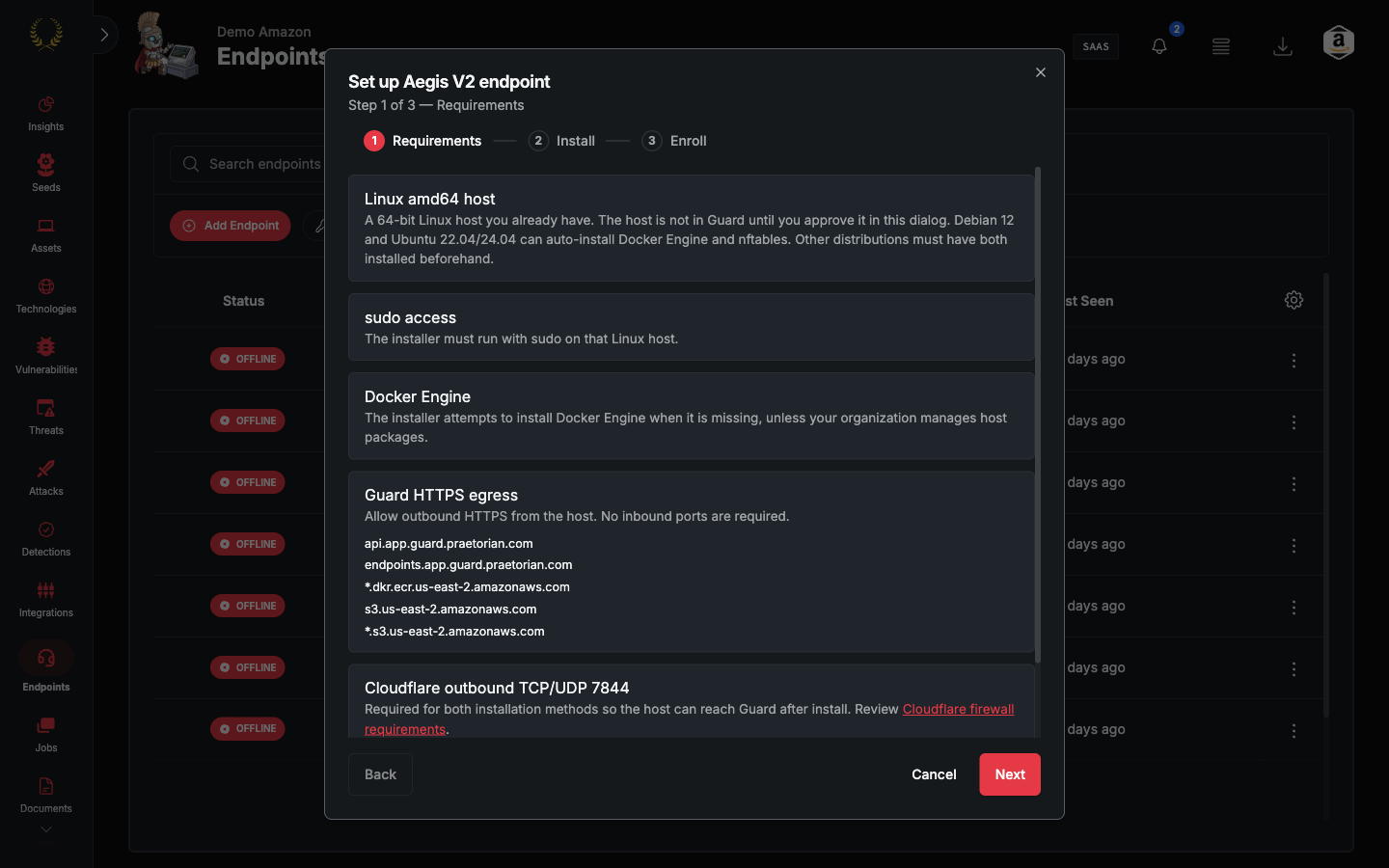
The Aegis agent requires outbound internet access to communicate with our infrastructure and integrated VPN connectivity. The environment must allow endpoints to establish and maintain connections to the following services for Aegis to function correctly:
| Hostname / IP Address | Port | Protocol |
| agent.PGP.praetorian.com | 443 | TCP |
| region1.v2.argotunnel.com | 7844 | TCP |
| region2.v2.argotunnel.com | 7844 | UDP |
| api.cloudflare.com | 443 | TCP |
| 1.1.1.1 | 853 | TCP |
| 1.1.1.1 | 53 | UDP |
Step 2: Operating System Requirements
Virtual Appliance (OVA)
An OVA is a single-file package that contains a preconfigured virtual machine. It can be imported into common hypervisors such as VMware and VirtualBox.
Prerequisites
- Supported hypervisor that can import OVA: VMware vSphere ESXi, VMware Workstation or Fusion, or Oracle VirtualBox.
- Minimum 16GB RAM
- 150GB free disk space
Installation
Open your virtualization platform and choose Import or Deploy OVF/OVA.
Select the `.ova` file.
Review and adjust VM settings such as name, CPUs, memory, disk, and networking.
Complete the import and power on the VM.
Microsoft Windows
Prerequisites
- Windows 8 / Windows Server 2012 or later
- The Aegis installer must be executed with local administrator privileges
- Minimum 16GB RAM
- 150GB free disk space
- Domain Joined System
Installation
Windows MSI Install
To install the Window MSI from the command line (which requires elevated privileges) simply run:
msiexec /i praetorian_aegis.msiThis will install the binary and client configuration file in the following directory:
C:\Program Files\Praetorian Aegis\It will also create a service named "Praetorian Aegis Service", and start it.
The Aegis service runs using the Local System account. Startup of the service is Automatic with a delayed start.
Windows MSI Uninstall
To remove Aegis from Windows, run the following command in an elevated command prompt:
msiexec /x praetorian_aegis.msiAlternatively, use Add or Remove Programs in Windows settings to uninstall Aegis.
Linux
Prerequisites
- Supported distributions: Ubuntu 20.04+, RHEL 8+
- Root or sudo privileges
- Minimum 6GB RAM
- 20GB Disk Space
Download the Installation Package Obtain the latest aegis.rpm or aegis.deb package from the Praetorian support team.
RedHat Agent Installation
sudo rpm -i aegis_agent_amd64.rpmDebian Agent Installation
sudo dpkg -i aegis_agent_amd64.debVerifying Installation
For systems using SysVinit, confirm that the agent is running:
systemctl status velociraptor_clientFor systems using systemd, confirm that the agent is running:
systemd aegis_client statusUninstalling the Linux Agent
For RedHat:
sudo rpm -e aegis_agent_amd64For Debian:
sudo dpkg -r aegis_agent_amd64User Account
Please provide Praetorian with a low-privileged domain user account for authenticated testing.
These credentials should be uploaded to the secure file store project space that Praetorian provisions for the project. The domain user account is also a mentioned in the Standard-Operating Procedures documentation.
Your Aegis installation is now complete, and the agents are ready to support your internal penetration testing activities!
We hope this documentation has been helpful. If you find a topic that you would like discussed in detail, or need further assistance, please let us know at support@praetorian.com!
About Aegis Agent
The Aegis agent is built on the Velociraptor open source framework. As part of our commitment to security, Praetorian regularly conducts a comprehensive audit of the underlying codebase, including static code analysis, dynamic testing and security architecture review as well as a thorough dependency analysis and cryptographic validation.