Graph Explorer
Explore entity relationships from Insights → Graph Explorer.
Insights → Graph Explorer is the relationship graph for your attack surface. While the Query Builder focuses on structured queries, the Graph Explorer lets you visually browse and explore relationships between entities in a free-form, map-like interface.
Open Graph Explorer
- Go to Insights → Graph Explorer.
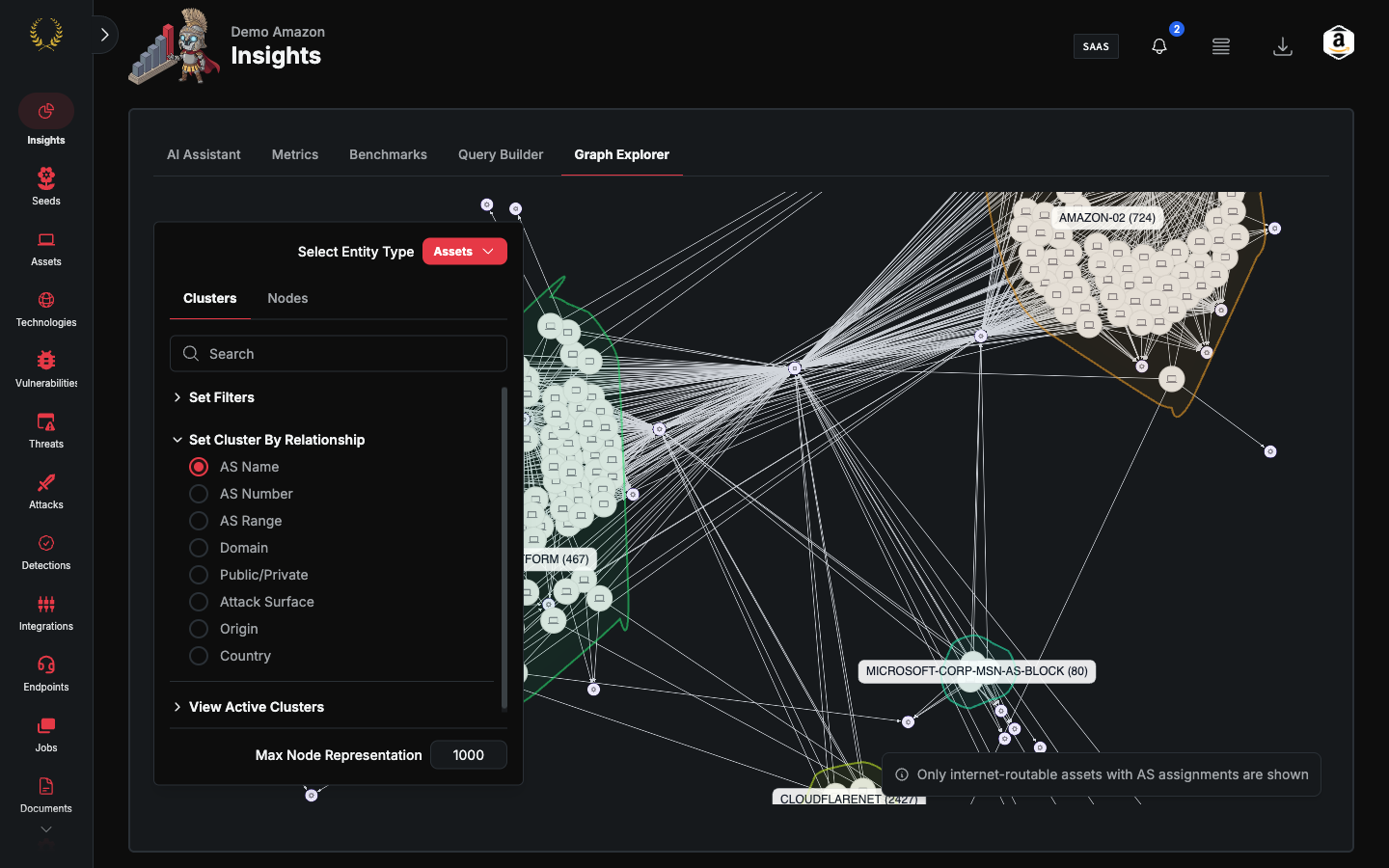
Assets, seeds, vulnerabilities, and technologies can be grouped and filtered to easily understand the context in your environment.
Explore
- Search or select an entity.
- Expand neighbors. Use filters on the explorer to hide node types you do not need.
- Click a node for the detail drawer.
The graph is fully interactive — pan, zoom, click on nodes to inspect them, and explore the relationships between entities in your attack surface. The visualization adapts to your filter selections in real time.
Support
If the graph fails to load, reach out to support@praetorian.com.