Sessions
Create and watch detection sessions from Detections → Sessions.
Detections → Sessions lists Validation Sessions. A session needs a name and at least one ATT&CK technique. Target filters are optional.
Open Sessions
- Go to Detections → Sessions.
Create a Session
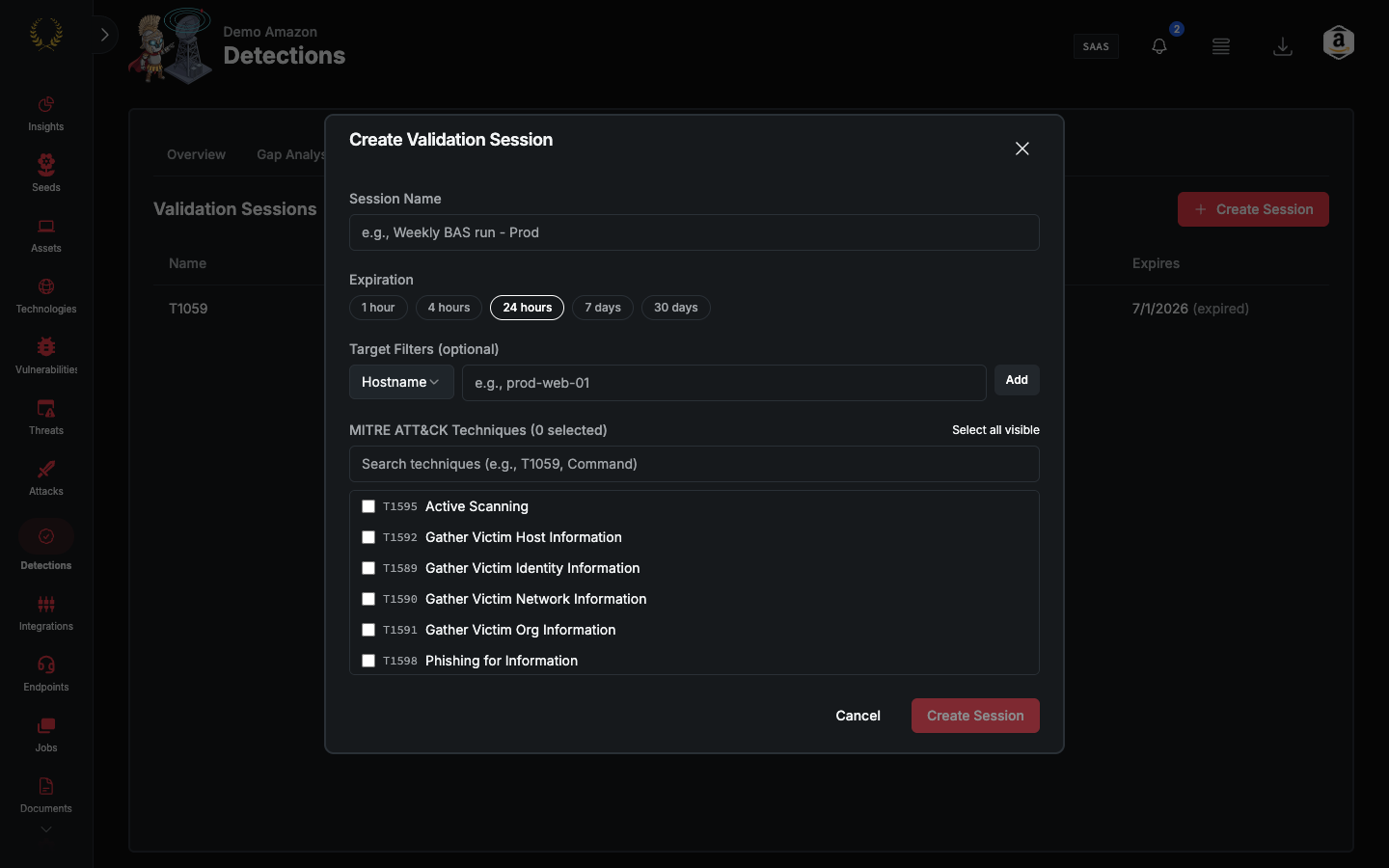
- Click Create Session. The dialog title is Create Validation Session.
- Enter a Session Name.
- Pick an Expiration: 1 hour, 4 hours, 24 hours, 7 days, or 30 days.
- Optionally add Target Filters. Types are Hostname, File Hash, IP, Account, Domain, Command Line, Path, and IOC (catch-all).
- Select at least one technique under MITRE ATT&CK Techniques.
- Click Create Session.
The table columns are Name, Status, Created, and Expires. Status is Active, Expired, or Cancelled.
Locked
If the tab is locked, the title is Validation Sessions Locked. Breach & Attack Validation sessions are available for Praetorian operators.
Was this helpful?
Still need help? Ask the team