Capabilities
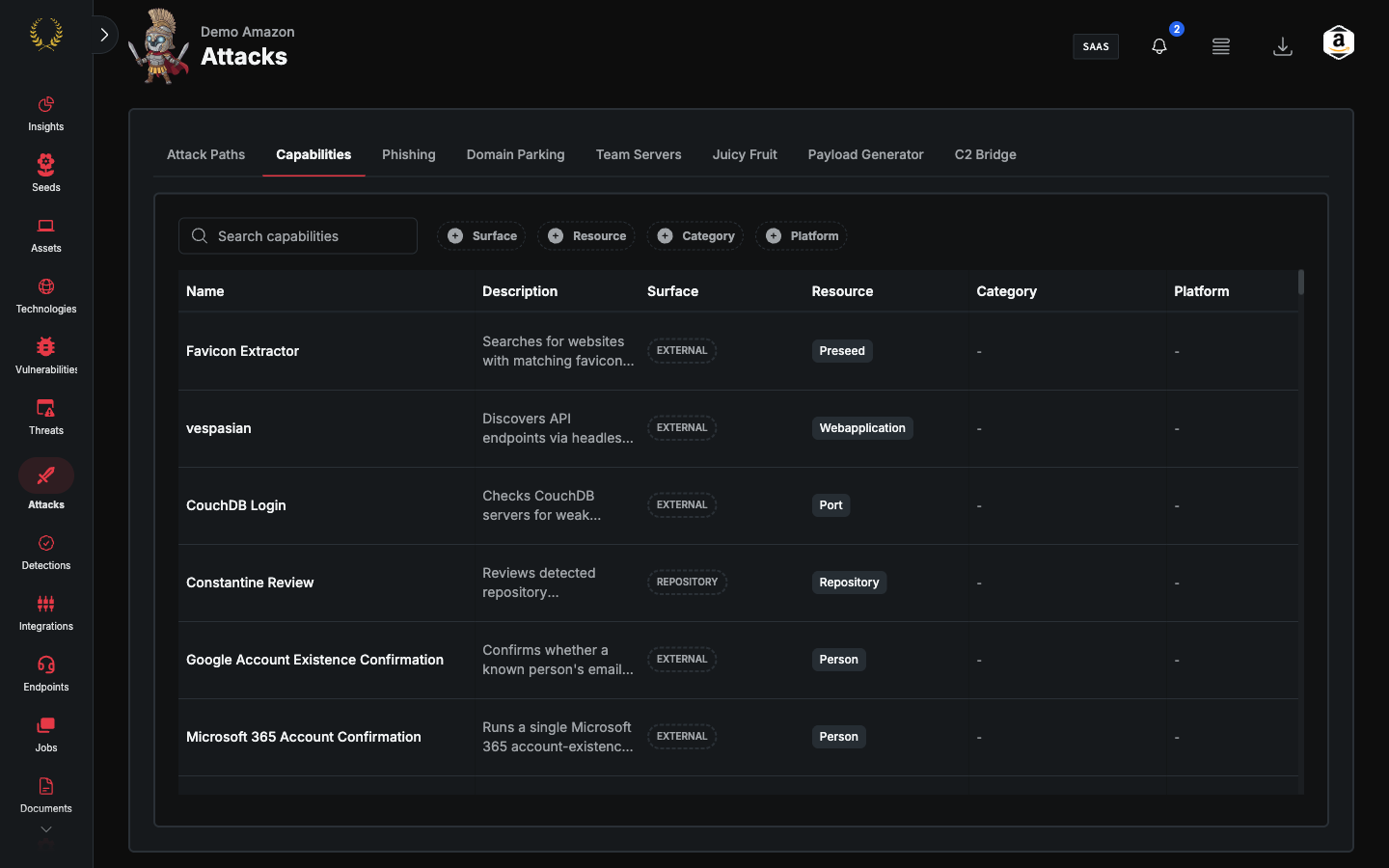
Browse, filter, and run Guard capabilities from the Attacks → Capabilities tab.
The Attacks → Capabilities tab lists every capability available to this account — scanners, hunts, and assessments — with status, last run, and schedule. This guide walks you through finding a capability and launching it.
Open Capabilities
- Go to Attacks → Capabilities.
Find a capability
Use Search capabilities and the filters Surface, Resource, Category, and Platform.
Columns are Name, Description, Surface, Resource, Category, and Platform.
Run a capability
- Locate the capability in the table.
- Use the row actions menu to run it or open its configuration.
- Confirm the run. Track progress under Jobs.
Support
If a capability is missing or a run fails, reach out to support@praetorian.com.
Was this helpful?
Still need help? Ask the team